Learn · Updated
What Is a Music Visualiser?
Short answer: A music visualiser (or music visualizer) is software that analyses audio, typically its loudness and frequency content, and uses that data to generate animated graphics in sync with the music.
A music visualiser (also spelled music visualizer) is software that turns sound into moving images. It analyses an audio signal, usually its amplitude (loudness) and frequency content (how much bass, mid-range and treble is present), and uses those measurements to drive graphics that move in time with the music.
The term covers everything from the bouncing spectrum bars in an old media player to real-time 3D engines projected behind a band.
What a music visualiser does
Every visualiser follows the same basic loop, many times per second:
- Read a short slice of audio, typically a few thousandths of a second to a few hundredths.
- Analyse it: measure the level, split it into frequency bands, and sometimes detect beats.
- Map the results to visuals: bar heights, line shapes, colours, object sizes, camera movement.
- Draw a frame, then repeat.
The details of step 2 are covered in How do music visualisers work?.
Main types of music visualiser
| Type | What it shows | Example |
|---|---|---|
| Waveform | Amplitude over time, as a line or bars | Podcast audiograms |
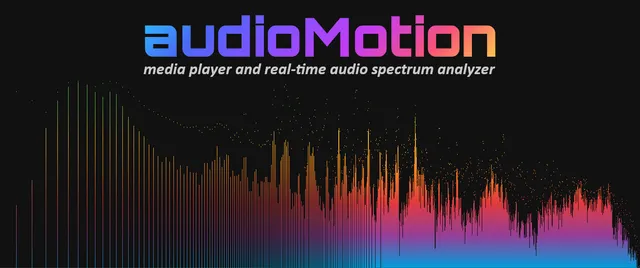
| Spectrum | Energy in each frequency band | Classic equaliser bars |
| Spectrogram | Frequency content over time as a heat map | Spek |
| Oscilloscope | The raw signal; in XY mode, stereo traces shapes | osci-render |
| MilkDrop-style | Preset equations that warp and feed back the image | MilkDrop 3 |
| 3D and generative | Scenes, particles or shader art driven by audio | Synesthesia |
| AI-generated | AI video timed to the music | Neural Frames |
Many tools combine several of these. “Audio-reactive” is the broad term for any visual whose parameters follow the sound; see how audio-reactive visuals work.
Real-time visualisers vs video makers
Music visualisers fall into two practical groups:
- Real-time visualisers draw visuals live while audio plays. They are used for listening at home, streaming, DJ sets and concerts. Examples include MilkDrop 3, vizz.fm and VJ software such as Resolume.
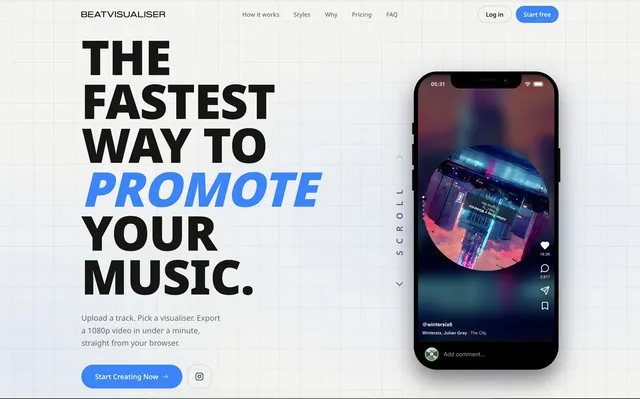
- Video makers take an audio file and render a finished video, frame by frame. They are used to publish music on YouTube and social media. Examples include BeatVisualiser, Specterr and Banger.Show.
Some tools, such as Magic Music Visuals and TouchDesigner, do both.
Where music visualisers are used
- Music releases: a visualiser video is the most common way to publish a track on YouTube without filming a music video.
- Social media: short vertical clips for TikTok, Instagram Reels and YouTube Shorts.
- Live performance: projected or LED visuals at concerts and club nights, often operated by a VJ.
- Streaming: visuals behind DJ streams and music livestreams.
- Production and analysis: spectrum analysers and spectrograms help producers and engineers see what they hear.
- Listening: ambient visuals on a computer or TV, the original use popularised by Winamp and Windows Media Player.
A short history
Visualisers were built into hardware long before personal computers: oscilloscopes displayed audio signals, and stereo systems had VU meters and spectrum displays. On computers, music visualisation became mainstream in the late 1990s and 2000s with media players such as Winamp, iTunes and Windows Media Player. MilkDrop, released in 2001, became the most influential of these and is still in use through successors and reimplementations.
Today the field spans browser tools, GPU-powered live engines, DAW plugins and AI video generators. This directory catalogues them; browse all music visualisers or start with the categories.
Frequently asked questions
Is it spelled visualiser or visualizer?
Both are correct. "Visualiser" is the British English spelling and "visualizer" is the American English spelling. They describe the same thing.
Do music visualisers need an internet connection?
Not necessarily. Desktop visualisers such as MilkDrop 3 or projectM run offline. Many browser-based tools need a connection to load, and cloud-rendering tools upload your audio to a server.
Can a music visualiser make a video for YouTube?
Yes. Video-maker visualisers render an MP4 file from an uploaded track, which can be uploaded to YouTube like any other video.